AI video generator: a topic in, a video out.
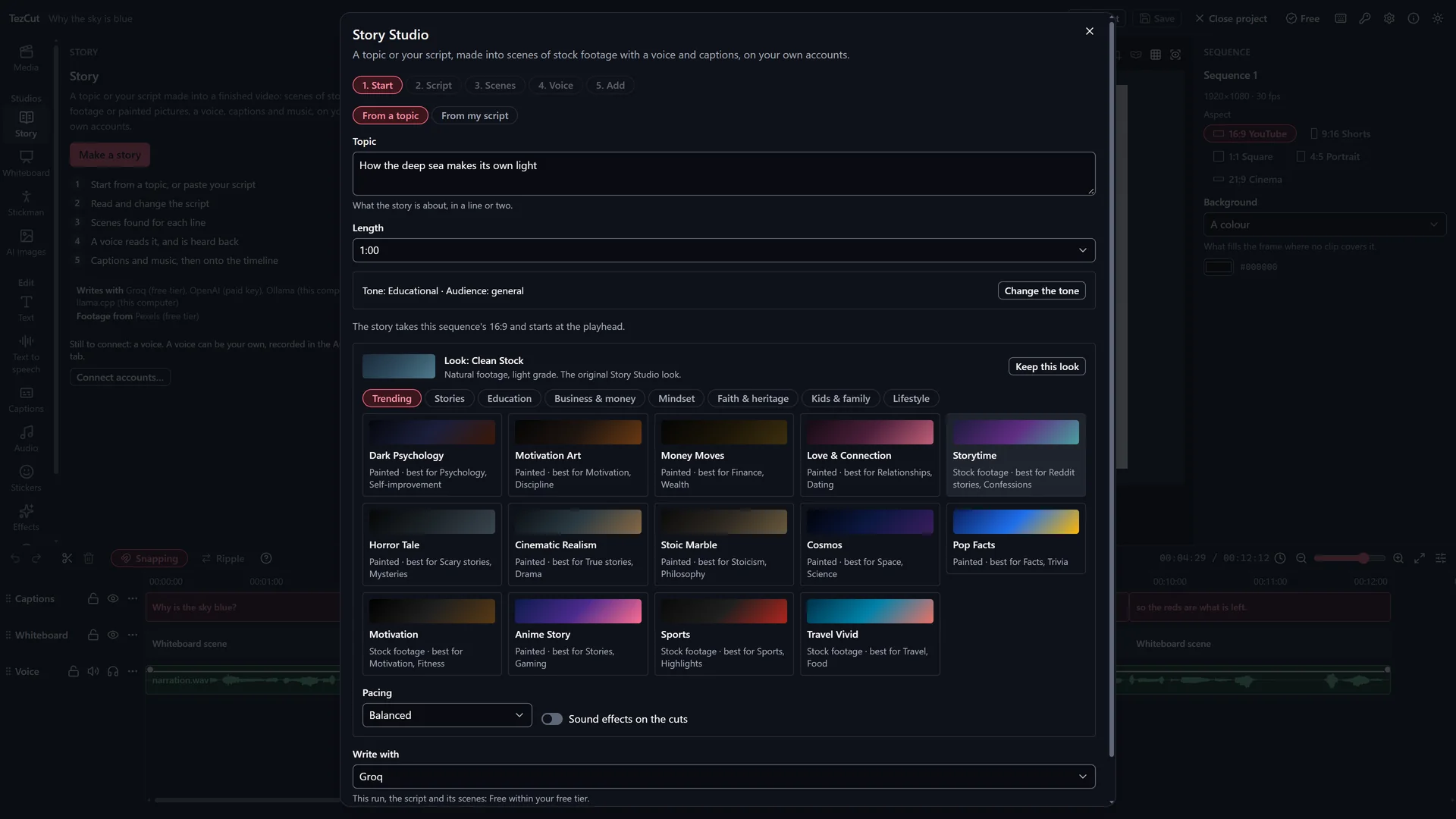
TezCut's Story Studio is an AI video generator that turns a topic or your own script into a narrated video of stock footage or painted pictures, with captions and your music, on your Windows laptop.
A language model on your account writes the script. TezCut finds a clip or paints a picture for every line, has a voice read it and listens back to each take, times the captions to the voice, and puts the whole video on your timeline as clips you can change.
- Windows 10 and 11
- 5 free videos a month
- Your projects stay on your computer
How it works
5 steps, one app.
Start from a topic, or paste your script
Type what the video is about, or paste a script of your own. Choose its length, its tone and a look: stock footage or painted pictures.
Read and change the script
A language model on your account writes it. Change any line, or ask it to write more or make it shorter.
Scenes found for each line
Each line gets a stock clip from your free Pexels or Pixabay account, or a picture painted on your image account. Swap any you do not like, or use your own media.
A voice reads it, and is heard back
A voice on this computer, one on your voice account, your own recording, or your own voice cloned with your consent. Each take is listened back to before it is used.
Captions and music, then onto the timeline
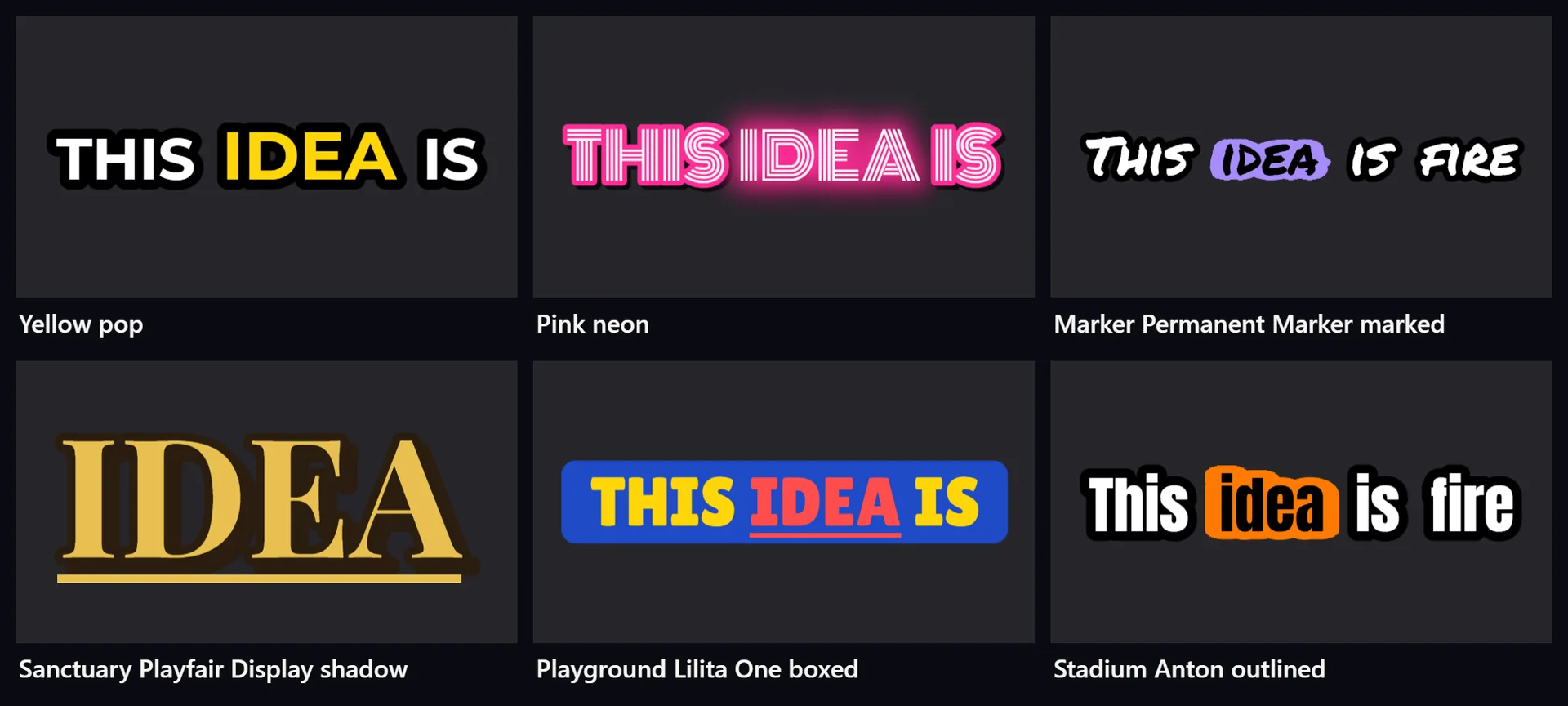
Captions in any of the 1,701 styles are timed to the voice, your music is set under it, and the video lands on your timeline as clips.
What you get
Made for the job.
Three sizes
Wide 16:9 for YouTube, tall 9:16 for Shorts and Reels, and square 1:1.
Footage or paintings
Looks that use stock footage from Pexels and Pixabay, and looks that paint every scene in one style.
A voice for every line
A voice on this computer that needs no internet, or one on your own voice account.
Captions on every word
Any of the 1,701 caption styles, timed to the voice, or none.
Your music under the voice
Music from your project is set under the voice and lowered while it speaks.
Clips you can change
Every scene on its own track with a marker, ready to trim, swap or re-time, in one undo.
Free or Pro
Start free. Go Pro when you grow.
TezCut runs on Windows 10 and 11, 64-bit, with 4 GB of memory or more. A Pro licence works on one computer: for more computers, buy a licence for each.
Free
Rs. 0 for good
Free is the whole editor, with export up to 4K, every caption style, filter and transition, and 5 videos a month from each of the Story, Whiteboard and Stickman Studios. Its exports carry TezCut's mark.
Download freePro
Rs. 1,000 a month
Pro takes the mark away, makes the Story, Whiteboard and Stickman Studios unlimited and adds email support, for Rs. 1,000 a month or Rs. 9,000 a year ($4.99 a month or $44.99 a year).
See the plans- Is TezCut's AI video generator free?
- Yes. On Free you can make 5 Story Studio videos a month, with TezCut's mark on the export. Pro makes them unlimited and takes the mark away, for Rs. 1,000 a month or Rs. 9,000 a year. The AI accounts you connect may charge for what they do; many have free tiers.
- Which AI writes the script?
- A language model on an account you connect: Groq's and Gemini's free tiers need no card. You can also use a paid key, or a model on this computer through Ollama or llama.cpp.
- Where do the clips and pictures come from?
- Stock clips come from Pexels and Pixabay, on free accounts of your own. Painted pictures are made on an image account you connect; Gemini and Cloudflare have free tiers. You can swap any scene for your own media.
- Can I change the video after it is made?
- Yes. It lands on your timeline as clips on their own tracks, with a marker for each scene, so you can trim, reorder, swap or re-time any of it before you export.
- What sizes can it make?
- Wide 16:9 for YouTube, tall 9:16 for Shorts and Reels, and square 1:1.
More of TezCut
One app, every step.
-
Whiteboard animation
Explainers drawn and written by hand on a whiteboard as they are read, a clip a board.
-
Stickman animation
Stick figures act out your story scene by scene, with a voice and captions.
-
Auto captions
Captions from speech in 100 languages, in 1,701 styles, right to left where the script is.
-
Video editor
Timeline, keyframes, effects, filters, transitions, templates and export up to 4K.
See all of TezCut's features, the prices of Free and Pro, or download TezCut for Windows.