A free video editor for your Windows laptop.
TezCut is a free video editor for Windows 10 and 11 with a multi-track timeline, keyframes, 392 filters, 308 transitions and 1,701 caption styles, that exports up to 4K on your own laptop.
Free is the whole editor, and its exports carry TezCut's mark. Your projects are folders on your computer: nothing is uploaded.
- Windows 10 and 11
- The whole editor on Free
- Your projects stay on your computer
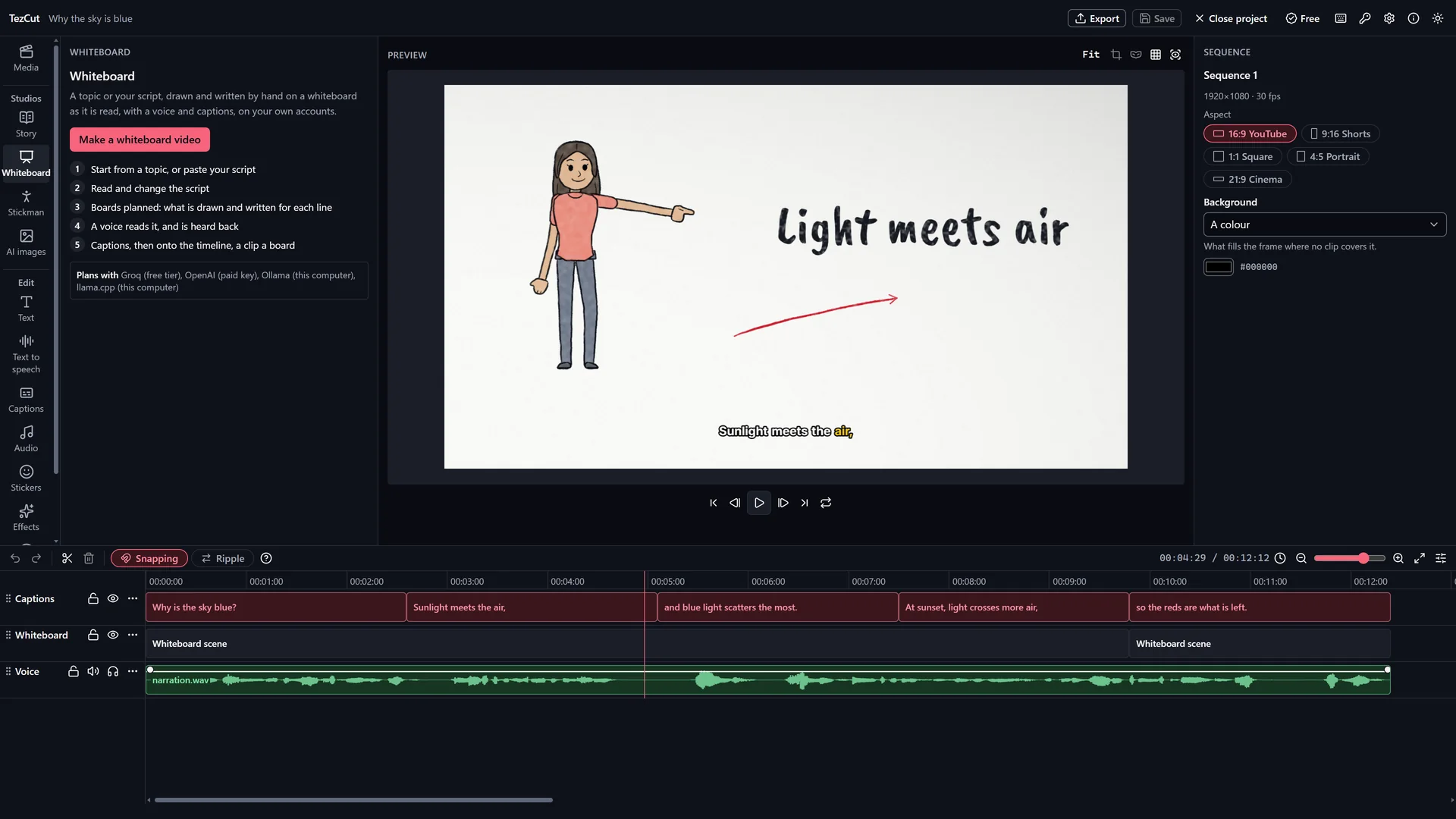
How it works
4 steps, one app.
Bring in your media
Drop in videos, pictures and sound. AVI, WMV, MKV and other files Windows plays are converted once as they come in.
Cut on a real timeline
Tracks, trims, ripple, roll, slip and slide edits, markers, compound clips, and undo for every step.
Make it look and sound right
392 filters, 198 effects, 308 transitions, keyframes, text, captions and stickers, with voice enhancement and ducking.
Export for where it goes
YouTube 1080p, Shorts 9:16, a small WhatsApp file, or 4K where your graphics card can, as MP4.
What you get
Made for the job.
A real timeline
Ripple, roll, slip and slide, markers, compound clips, freeze frames and custom shortcuts.
Keyframes
Position, scale, rotation, opacity, crop and volume, with easing, and speed curves.
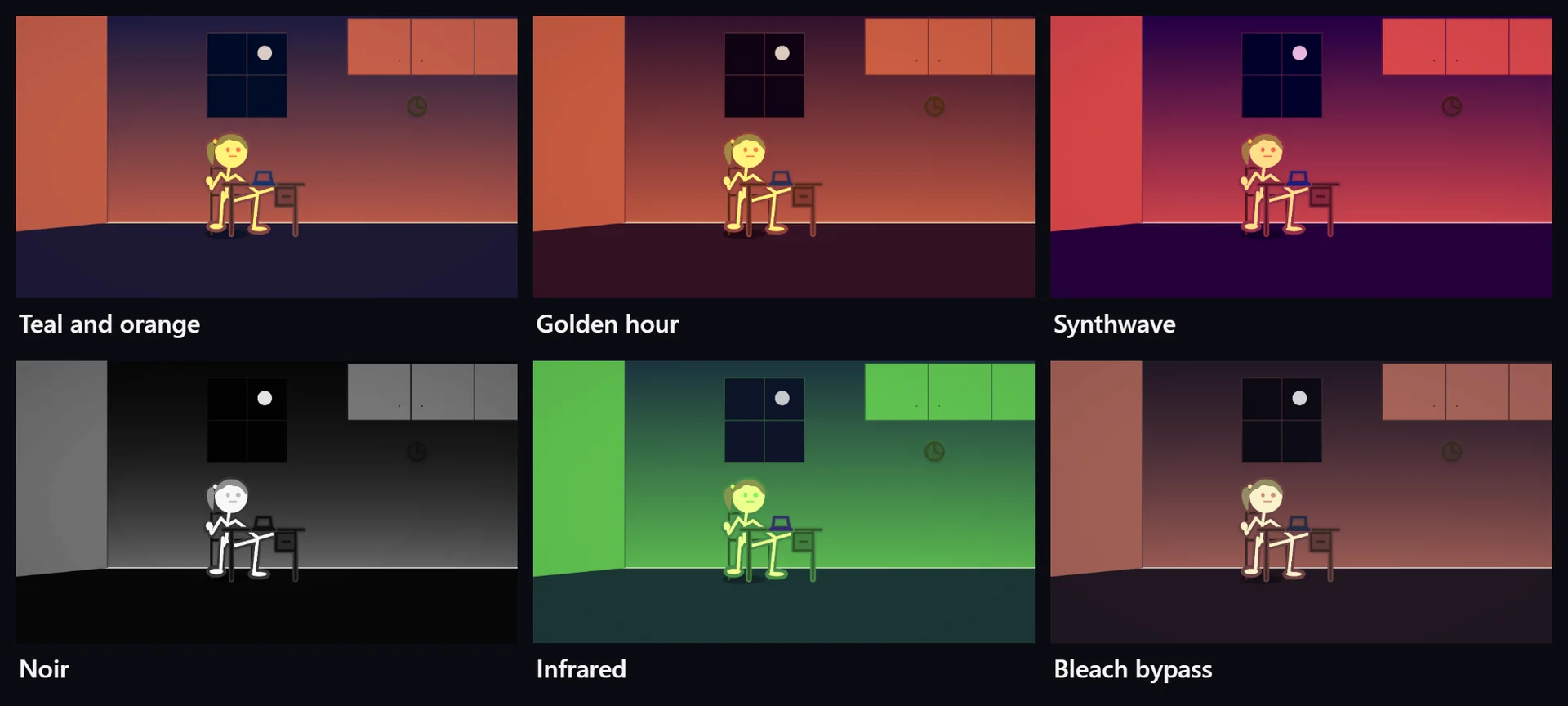
Looks
392 filters, 198 effects, masks, blend modes, chroma key and adjustment layers.
Text and templates
1,588 text looks, 96 templates, 373 backgrounds and stickers.
Sound
Voice enhancement, loudness to −14 LUFS, an equaliser, auto ducking, beat markers and voice-over recording.
Export
MP4 with H.264, on the graphics card where there is one, up to 4K.
Free or Pro
Start free. Go Pro when you grow.
TezCut runs on Windows 10 and 11, 64-bit, with 4 GB of memory or more. A Pro licence works on one computer: for more computers, buy a licence for each.
Free
Rs. 0 for good
Free is the whole editor, with export up to 4K, every caption style, filter and transition, and 5 videos a month from each of the Story, Whiteboard and Stickman Studios. Its exports carry TezCut's mark.
Download freePro
Rs. 1,000 a month
Pro takes the mark away, makes the Story, Whiteboard and Stickman Studios unlimited and adds email support, for Rs. 1,000 a month or Rs. 9,000 a year ($4.99 a month or $44.99 a year).
See the plans- Is TezCut really free?
- Yes. Free is the whole editor, with export up to 4K, every caption style, filter and transition, and 5 videos a month from each of the Story, Whiteboard and Stickman Studios. Its exports carry TezCut's mark. Pro takes the mark away, makes the Story, Whiteboard and Stickman Studios unlimited and adds email support, for Rs. 1,000 a month or Rs. 9,000 a year ($4.99 a month or $44.99 a year).
- What computer do I need?
- TezCut runs on Windows 10 and 11, 64-bit, with 4 GB of memory or more. On a laptop with 4 GB of memory, TezCut switches to Lite mode by itself.
- Which files can it open?
- Common video, picture and sound files. AVI, WMV, MKV and other files Windows plays are converted once, by Windows itself, as they come in. HEVC, AV1 and VP9 video need Windows' own extensions, which TezCut names when one is missing.
- What does it export?
- MP4 video (H.264 with AAC sound), in sizes ready for YouTube, Shorts and WhatsApp, and 4K where the graphics card can encode it.
- Does it work offline?
- Yes. Editing, export, captions made on this computer and the voice on this computer need no internet.
More of TezCut
One app, every step.
-
AI video generator
A topic or your script, made into scenes of stock footage or painted pictures, with a voice, captions and music.
-
Whiteboard animation
Explainers drawn and written by hand on a whiteboard as they are read, a clip a board.
-
Stickman animation
Stick figures act out your story scene by scene, with a voice and captions.
-
Auto captions
Captions from speech in 100 languages, in 1,701 styles, right to left where the script is.
See all of TezCut's features, the prices of Free and Pro, or download TezCut for Windows.